
How do I follow up on my support ticket?
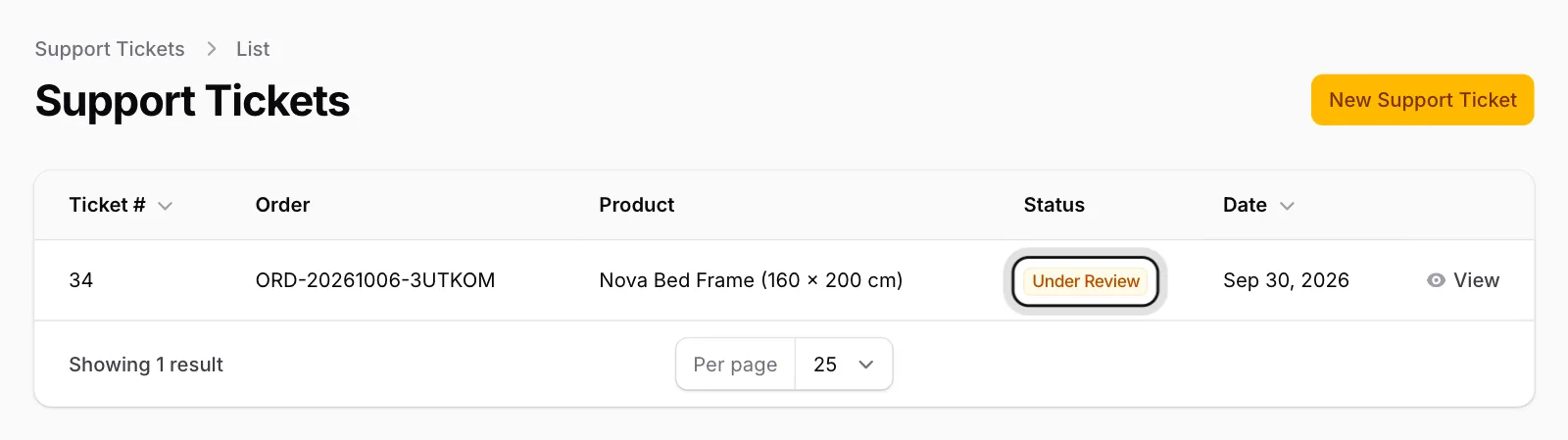
See your ticket’s status, the team’s notes and its history on the Support Tickets page.
Open Support Tickets
The list shows each ticket’s Ticket #, Order, Product, Status and Date.
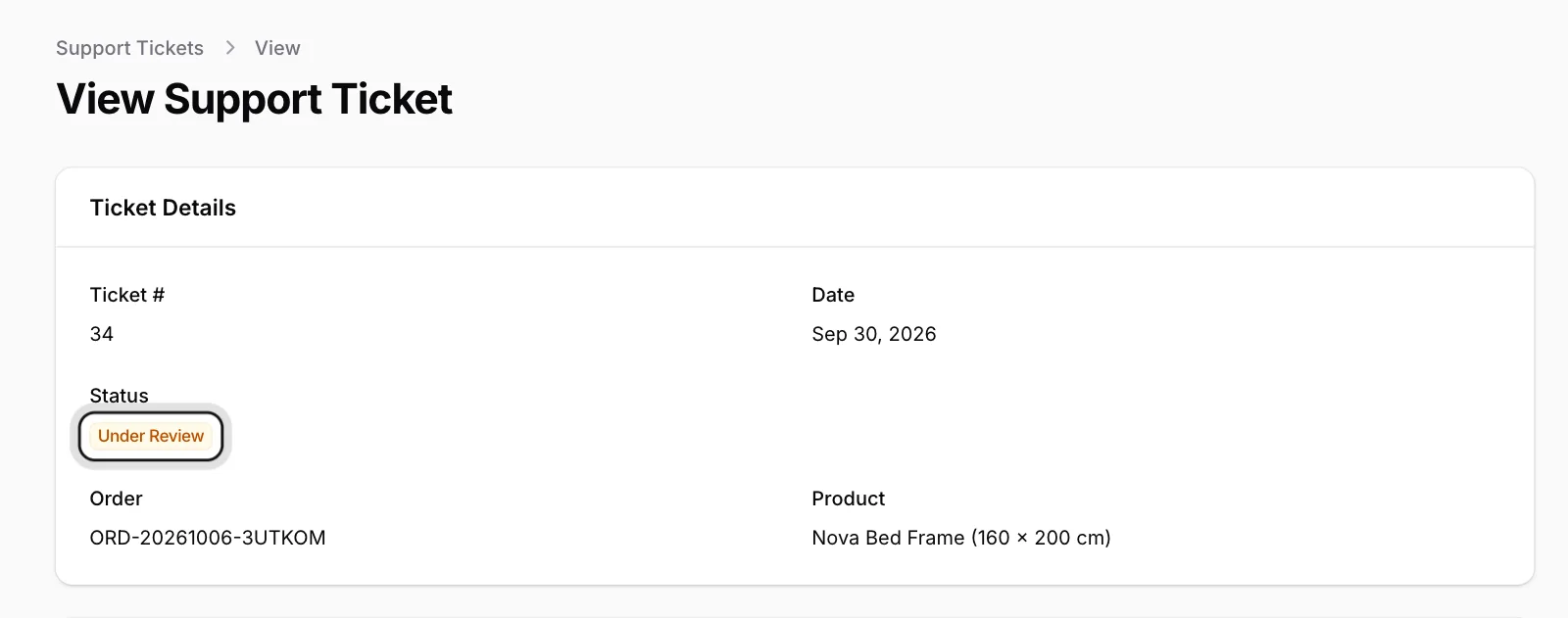
Open the ticket
Click View in its row. The Ticket Details section shows the current status; below it you find your description and the photos you added.
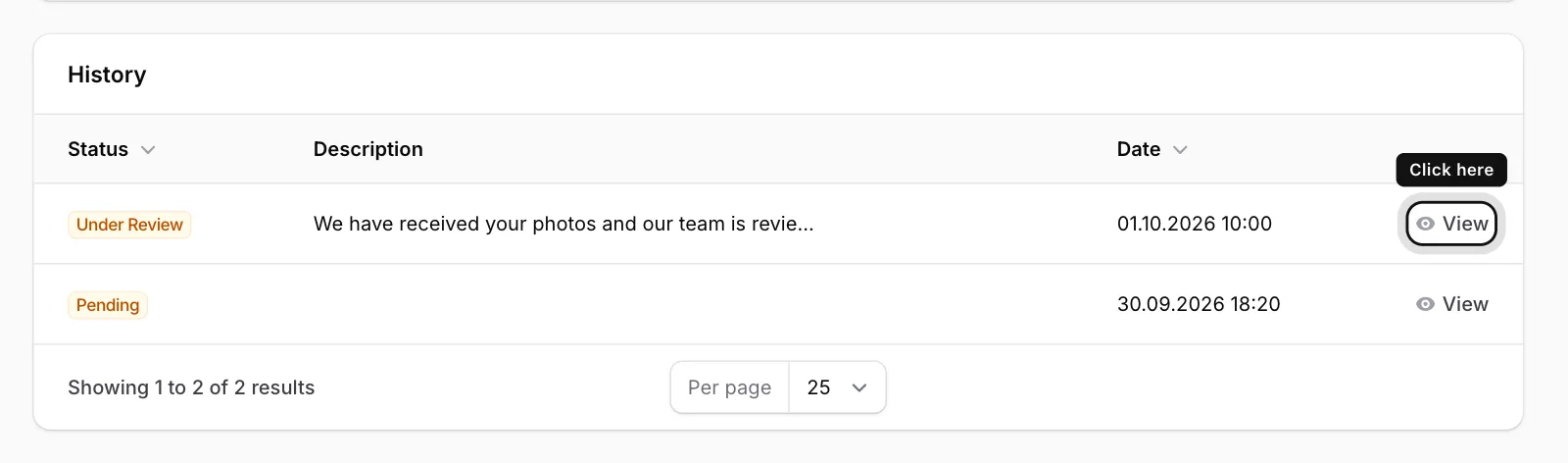
Check the history
The History table at the bottom lists the status changes with their dates. To read the team’s note, click View in the row.
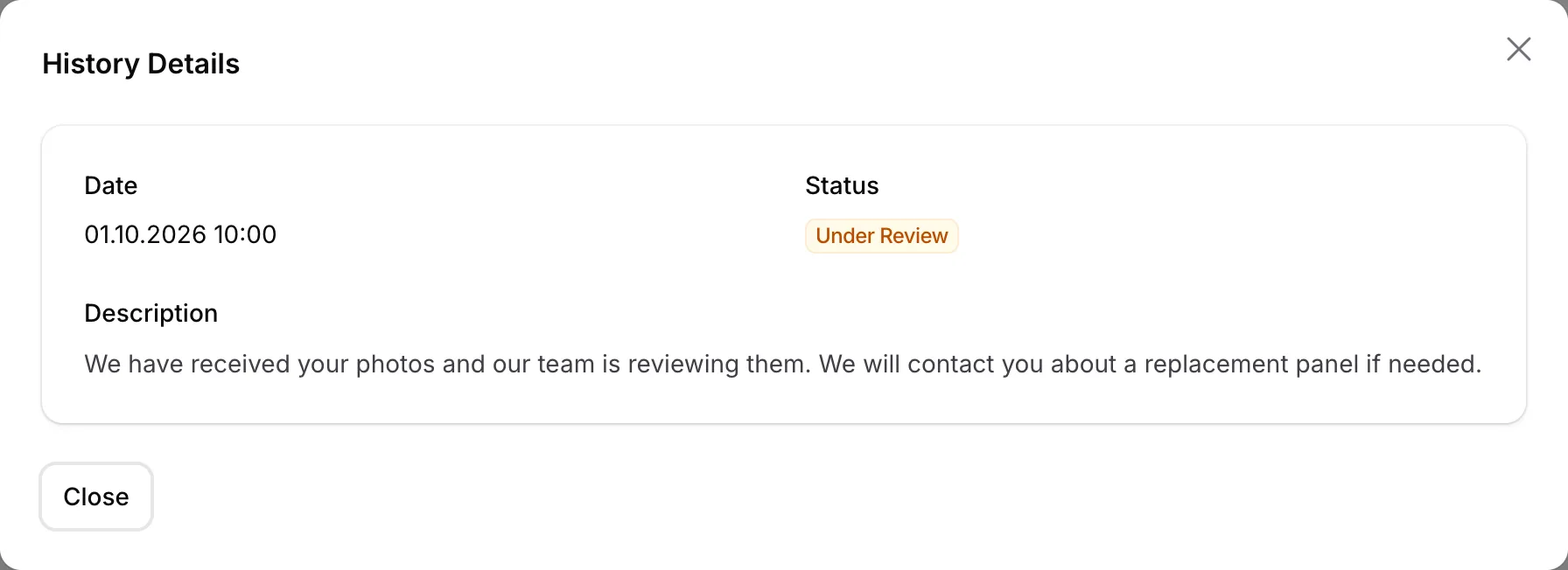
Read the note
The window shows the Date, Status and Description.
Statuses
Pending: We have received your ticket and it is waiting to be reviewed.
Under Review: Our team is looking into it.
Awaiting Information: We need more information from you; read the note in the History.
Approved: Your request has been accepted.
Spare Part in Production: The part you need is being made.
Replacement Shipped: The replacement or part is on its way.
Resolved: The problem has been fixed.
Rejected or Cancelled: The request was not accepted or was cancelled. Any explanation is in the History.
When your ticket’s status changes, you receive an email titled After Sales Service Status Updated.