
How do I see my payment plan?
See how much you have paid, what’s left and the next due date on the order page.
If you change the language, the video opens in that language too.
Open the order
In Order Forms, click View in the row of the order.
Look at the Payment Plan Summary
Total, Paid, Remaining and Next Due Date are shown in one row.

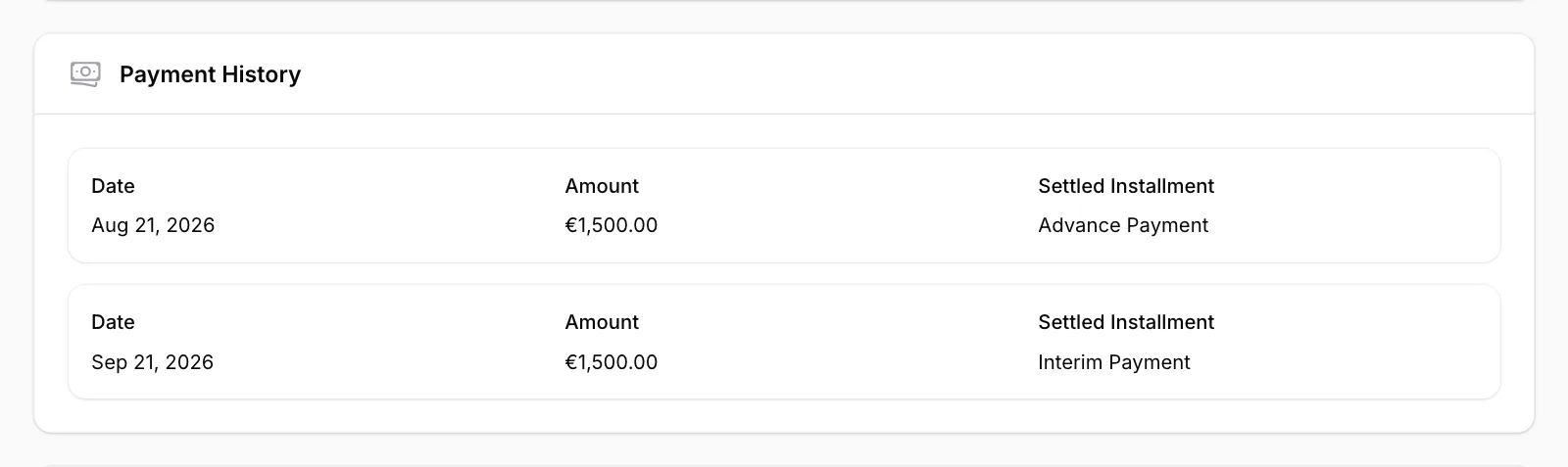
Review the Payment History
Each recorded payment is listed with its Date, Amount and Settled Installment. If nothing has been recorded yet, it says “No payments recorded yet.”
Open the Installments tab
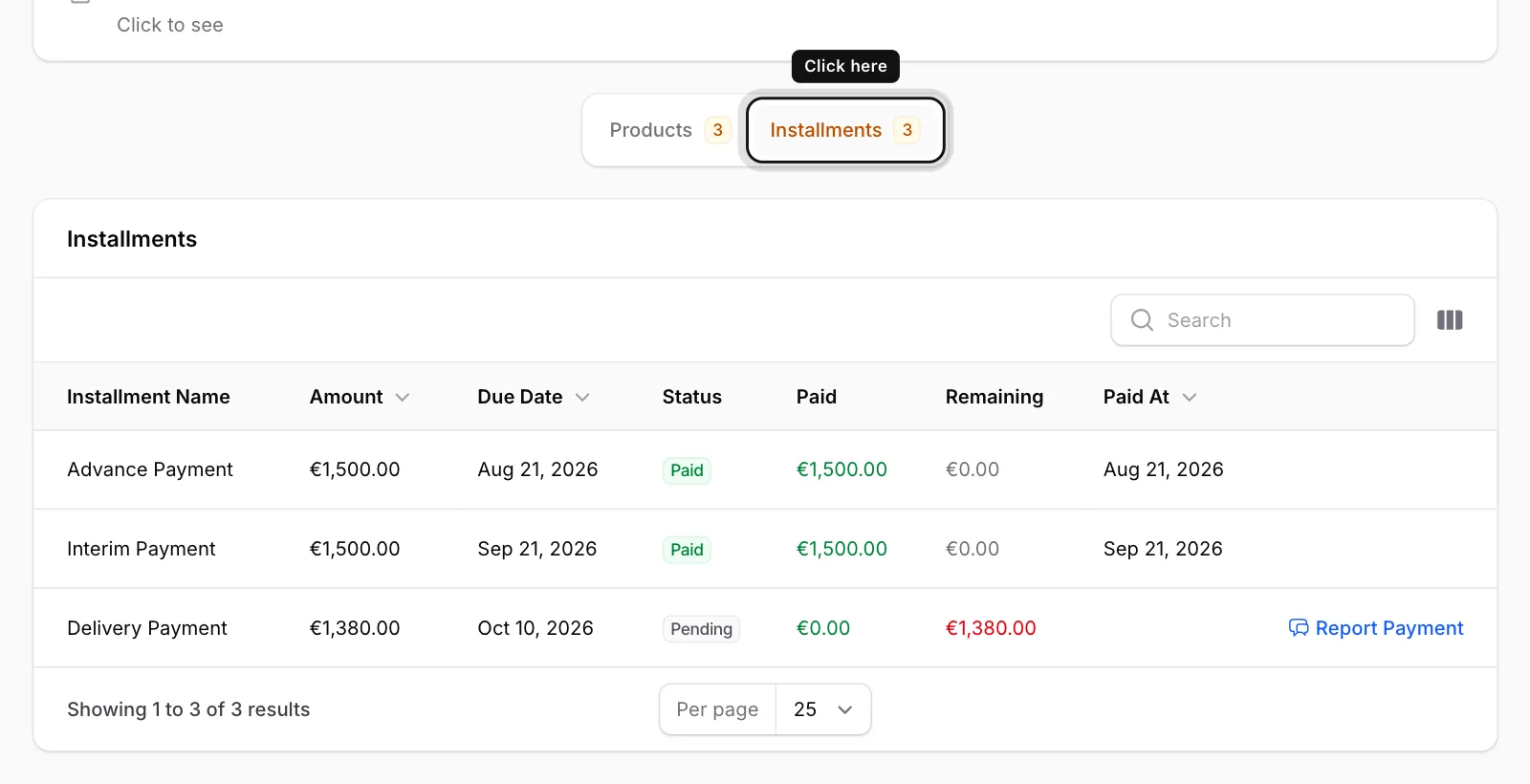
Click the Installments tab at the bottom of the page. You see each installment’s name, amount, due date, status, paid and remaining amount.
Installment statuses
Paid: The installment is fully paid.
Partially Paid: Part of it has been paid; the rest is shown under Remaining.
Pending: It isn’t due yet.
Overdue: The due date has passed and it hasn’t been paid yet.
Cancelled: The installment was cancelled.
If you have paid but the installment still shows as unpaid, let us know with Report Payment in the installment’s row.