
What’s on the order page?
Amounts, payment plan, address and delivery, carrier, payment method, contract and products: the order page section by section.
When you open an order from the Order Forms list with View, everything is on one page. From top to bottom, the sections are:
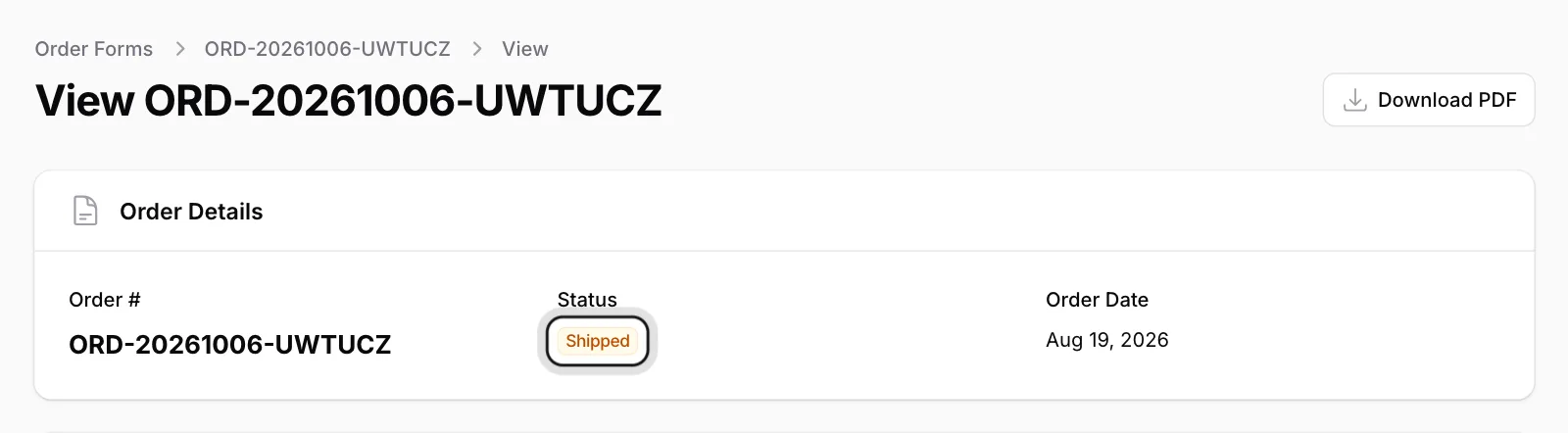
Order Details
The order number, Status and Order Date.
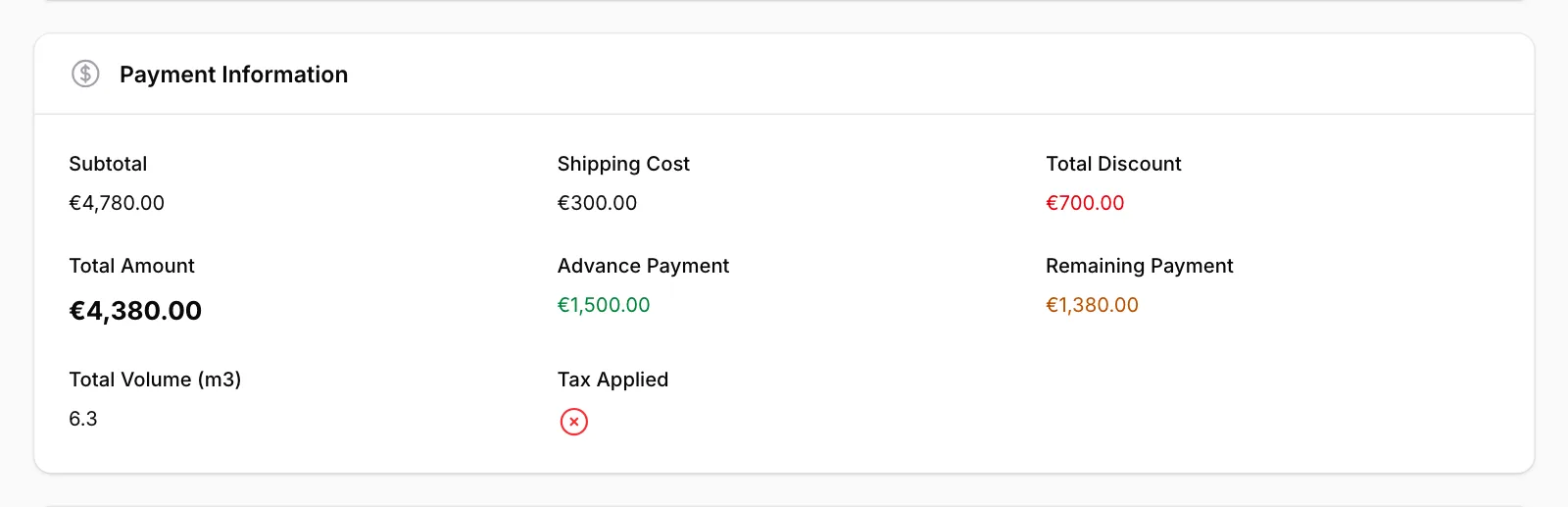
Payment Information
Subtotal, Shipping Cost, Total Discount, Total Amount, Advance Payment, Remaining Payment and Total Volume (m3).
Payment Plan Summary and Payment History
How much you have paid, how much is left, the next due date and the payments recorded so far.
Address & Delivery Info
Est. Delivery Date, Delivery Address, Invoice Address and Store Address.
Carrier Information and Payment Method
The carrier and tracking number; the payment method you chose and its payment instructions.
Distance Sales Contract
The contract text opens when you click the section.
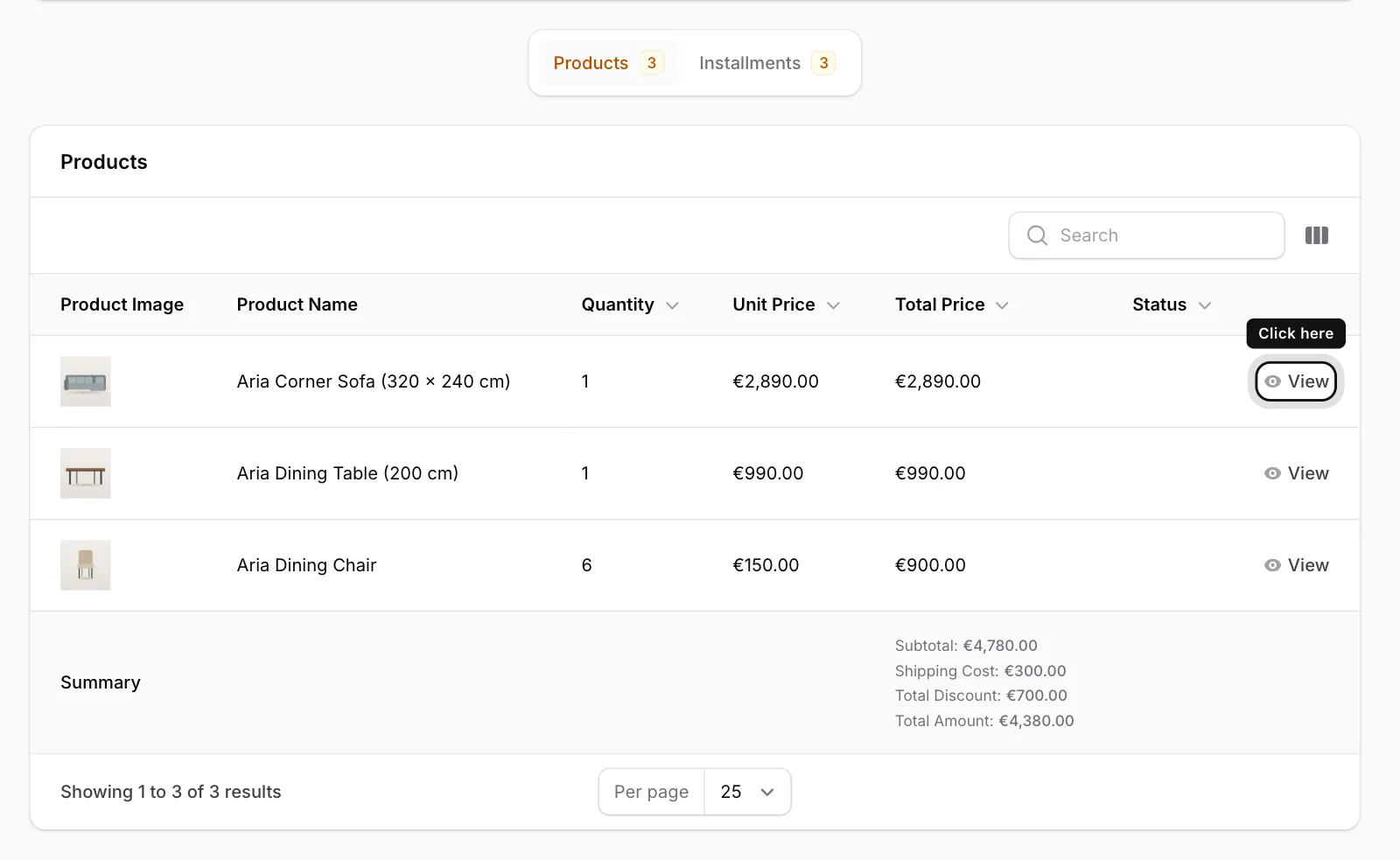
Products
The Products tab at the bottom lists the items in your order with quantities and prices. To see one product in detail, click View in its row.
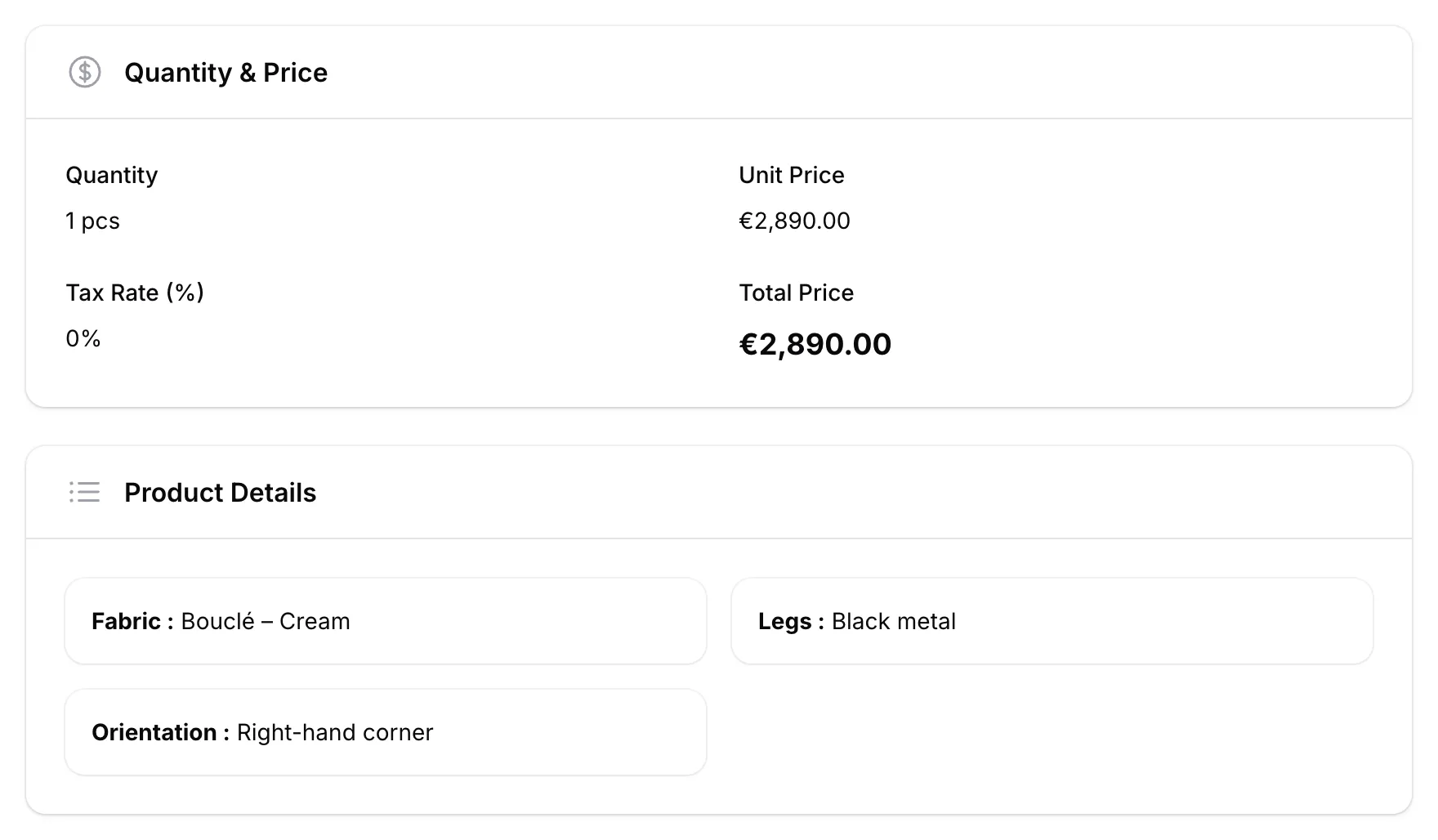
Product details
The window that opens shows Quantity & Price and, if available, Product Details such as fabric or legs.
To keep a copy of your order, use the Download PDF button at the top right.