With video
In 3 steps
How do I change the panel language?
You can use the panel in Turkish, English, German, French or Dutch.
English
If you change the language, the video opens in that language too.
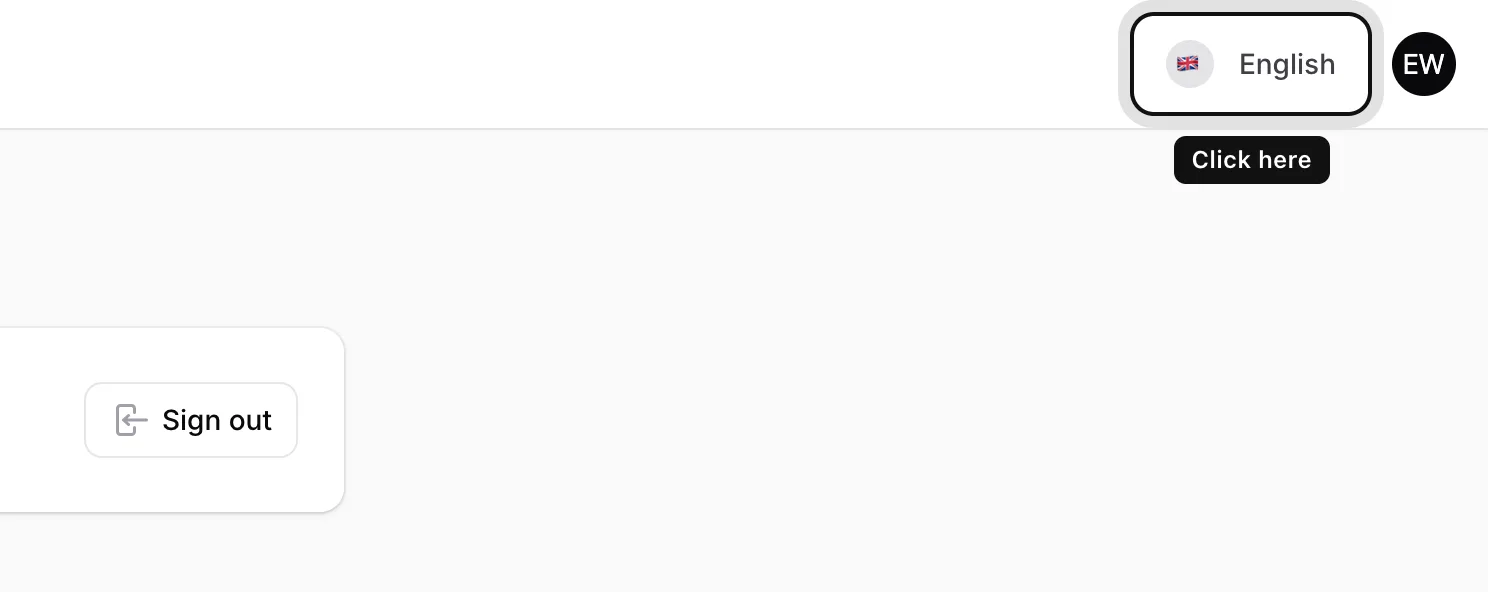
Click the language button
In the top right corner, click the button that shows a flag and the language name (for example English).
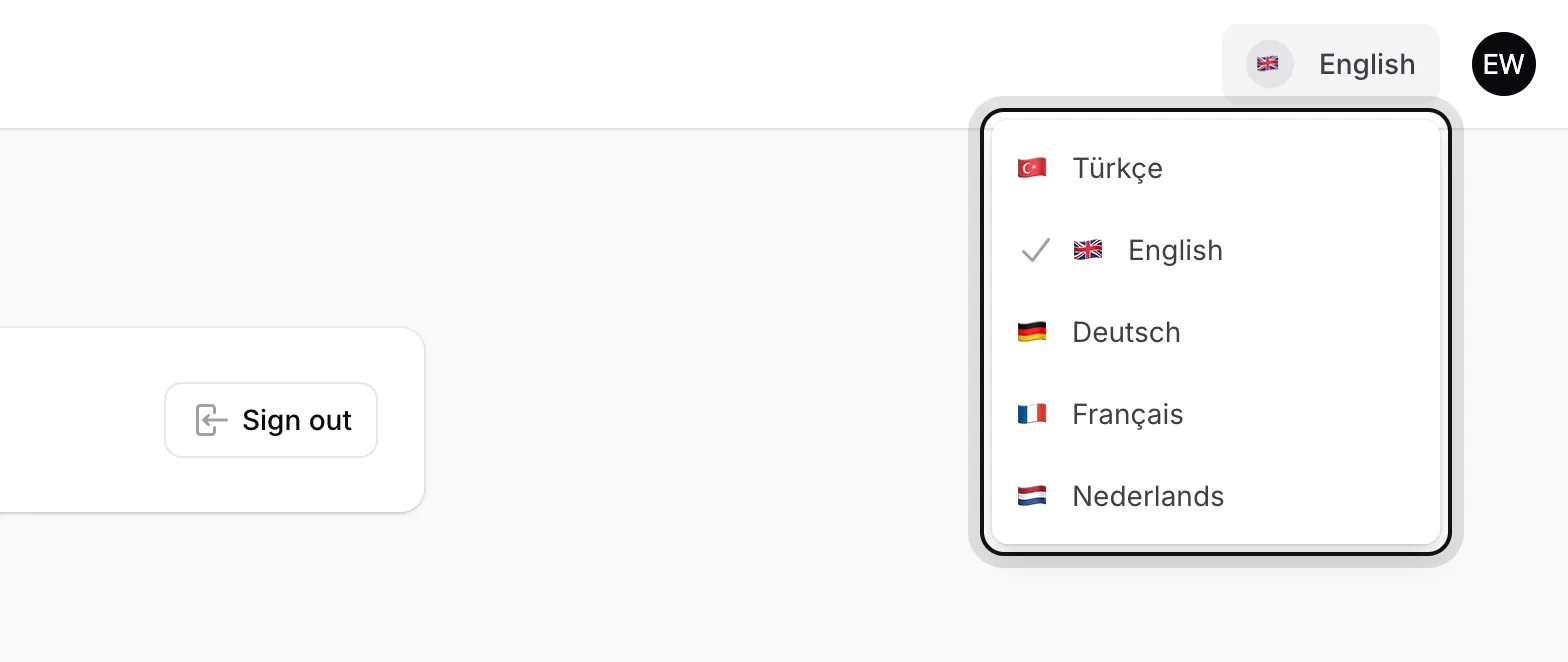
Choose your language
Pick Türkçe, English, Deutsch, Français or Nederlands. The page reloads in the language you chose.
Your choice is saved
Your language is saved to your account. The next time you sign in, the panel opens in the same language.
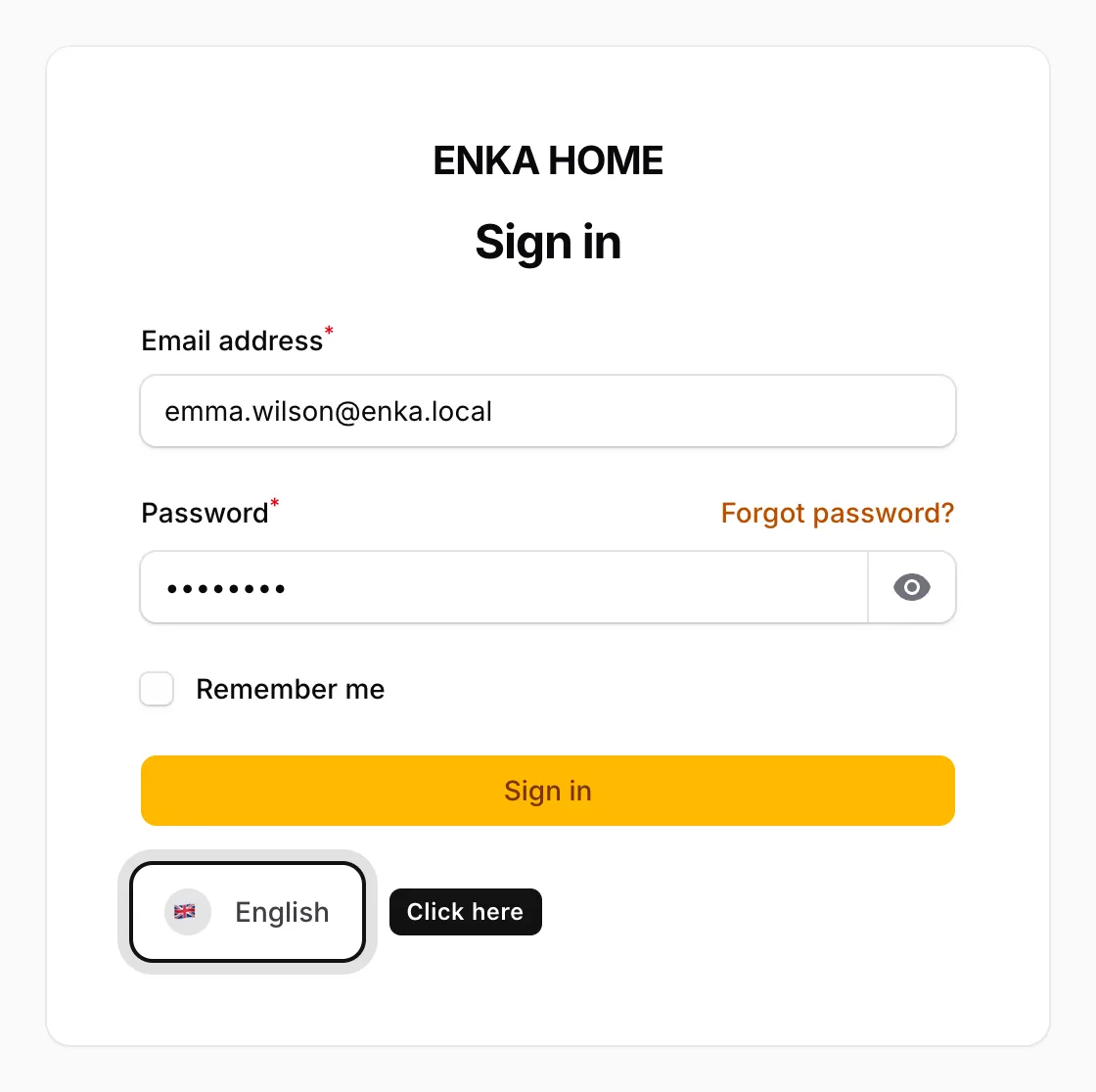
You can also change the language before signing in: use the language button at the bottom of the sign-in page.