
In 3 steps
Where can I see my estimated delivery date?
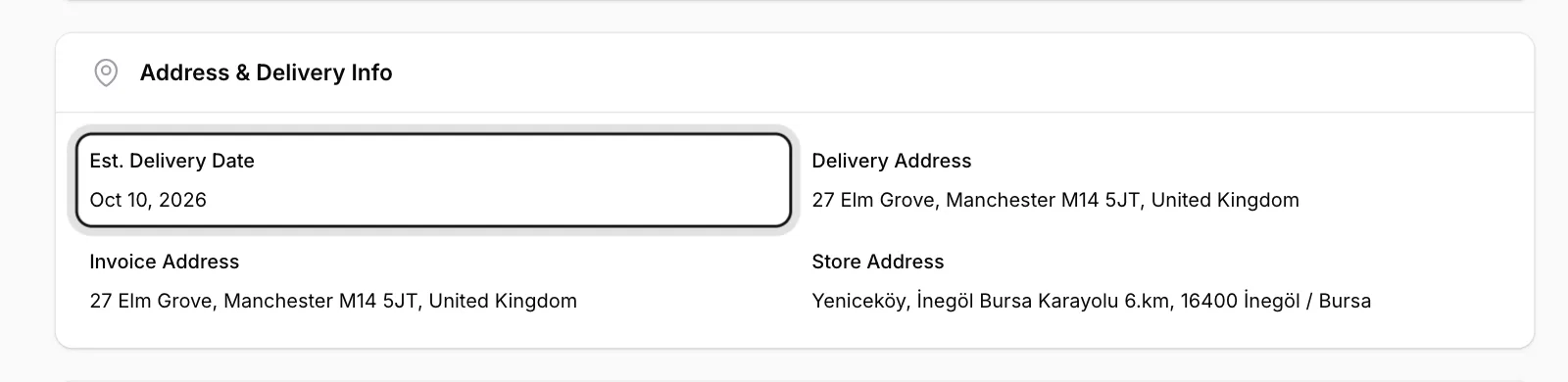
Your order’s estimated delivery date is in the Address & Delivery Info section of the order page.
Open the order
In Order Forms, click View in the row of the order.
Look at Address & Delivery Info
The Est. Delivery Date field shows the expected delivery day.
Check your address
The same section shows your Delivery Address and Invoice Address. If something is wrong, contact ENKA HOME straight away; the address can’t be changed in the panel.
This date is an estimate and may change depending on production and transport. If it is updated, you will see the new date on your order page.